


Conditional Auto Save
While Auto-save and Save on Next ensures that responses are not lost due to inactivity, there may be scenarios where saving every partial response is not desirable — especially when no meaningful input has been provided by the participant.
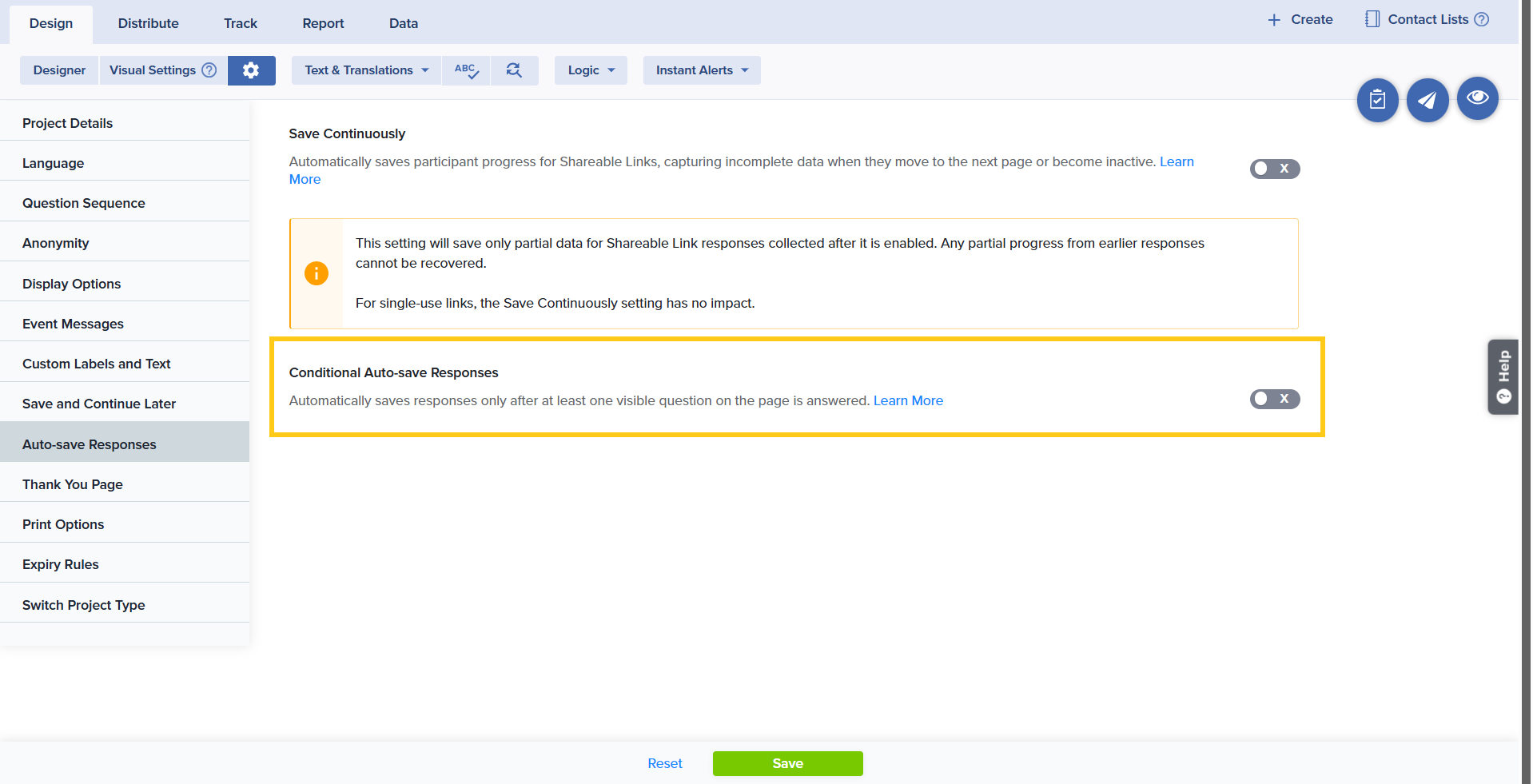
To address this, Sogolytics introduces Conditional Auto-Save Responses, a project-level configuration that gives you greater control over when Auto-save and Save on Next should trigger. Instead of saving responses automatically after inactivity in all cases, Conditional Auto-Save ensures that a response is saved only when at least one visible question has been answered.
How to Enable Conditional Auto-save
- Create or open a project.
- From the Design menu bar, click the Options gear icon next to Visual Settings.
- Select Auto-save Responses from the dropdown menu.
- Toggle on the Conditional Auto-save to enable the feature.
How Conditional Auto-Save Works
When the toggle is OFF:
Auto-save and Save on Next functions exactly as described in the previous section. All existing behavior remains unchanged.
When the toggle is ON:
Auto-save and Save on Next will trigger only if:
- The current page contains at least one visible (non-hidden) question, and
- At least one visible question has been answered.
Why Conditional Auto-Save Is Important
Consider the following scenario:
You have a survey where the first page contains only hidden questions due to pre-population. When a participant opens the survey, the system automatically skips the first page because it contains no visible questions and directs the participant to the second page.
Now assume that the second page does not contain any visible questions, or the participant does not answer any visible question and abandons the survey. Since standard Auto-save and Save on Next is triggered after inactivity, the response gets saved.
When you later review responses under Track, you may find an incomplete response that contains only pre-populated data — information that was already known to the survey owner. This results in unwanted or non-meaningful data being recorded.
With Conditional Auto-Save enabled, this situation is handled differently. Because no visible question was answered, the response will not be saved. This prevents incomplete entries containing only pre-populated data and helps maintain data integrity.
Benefits of Conditional Auto-Save
- Prevents unwanted incomplete responses
- Ensures only meaningful participant input is saved
- Improves data accuracy and cleanliness
- Conditional Auto-Save is supported for single-use links in both Pro Max and Enterprise accounts. For multi-use links, it is supported only in Enterprise accounts when “Save Continuously” is enabled.
- If a participant provides an answer and later clears all responses from the page, Auto-save and Save on Next will not trigger again. It will resume only after at least one non-hidden question is answered.
Subscribe for tips and insights to drive better decisions!