
Project Basics
  • Getting Started!
    • Building EX Surveys
      • EX Metrics
        • EX Dashboard
          • EX Dashboard Settings
            • Analyze your drivers
              • Good to know
                • Getting Started!
                  • Building CX Surveys
                  • CX Metrics
                    • CX Dashboard
                    • CX Dashboard Settings
                      • Analyze your drivers
                        • Good to know
                          • Getting Started!
                            • Assessment Question types
                              • Score and more
                                • Quiz participation
                                  • Get Results
                                  Home Design Good to Know Copy and Paste Questions

                                  Copy and Paste Questions

                                  Are you all ready to build your project? Do you have your questions written down? Save time by copying and pasting your questions and answers into our platform!

                                  This feature is available only in accounts on k12insight.com.

                                  Here’s how to create your next project a little faster:

                                  1. Create a new project by clicking Create project from the home page, or by clicking ‘Create’ in the top right corner while working within another project.
                                  2. Choose to start from a blank survey.
                                  3. Give your project a title.
                                  4. Check the box below to indicate your questions are already written, then continue.
                                  5. Copy and paste your questions into the modal that appears.
                                    If this modal closes, you can always click ‘Click here to copy and paste your questions.
                                  6. Enter your questions. Each question needs to begin and end with a tag code from the list below:
                                    • Check Box [CB]
                                    • Date [DA]
                                    • Descriptive Text [DT]
                                    • Drop Down [DD]
                                    • Horizontal Radio [HR]
                                    • Page Break [PB]
                                    • Radio Button [RB]
                                    • Ranking [RK]
                                    • Text Box [TB]
                                  7. Click on Add Questions and you’ll find all your text transformed into questions and answers within Designer. To make any further edits, hover over each question and click Edit.

                                  Advanced questions can be added by dragging and dropping them onto the Designer page. Learn more about adding questions.

                                  For reference, here are a few examples of how to apply the tag codes for copy-pasting:

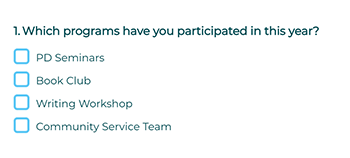
                                  [CB] Which programs have you participated in this year?
                                  PD Seminars
                                  Book Club
                                  Writing Workshop
                                  Community Service Team [CB]
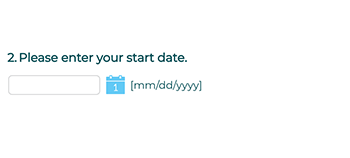
                                  [DA] Please enter your start date.[DA]
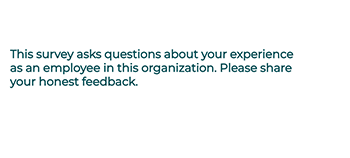
                                  [DT] This survey asks questions about your experience as an employee in this organization. Please share your honest feedback.[DT]
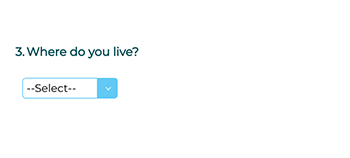
                                  [DD] Where do you live?
                                  Alabama
                                  Alaska
                                  Arizona
                                  Arkansas
                                  California
                                  Colorado
                                  Connecticut
                                  Delaware
                                  Florida
                                  Georgia
                                  Hawaii
                                  Idaho
                                  Illinois [DD]
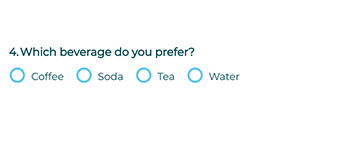
                                  [HR] Which beverage do you prefer?
                                  Coffee
                                  Soda
                                  Tea
                                  Water
                                  [HR]
                                  [PB]Note: To add a page break, you’ll need to add questions, too.
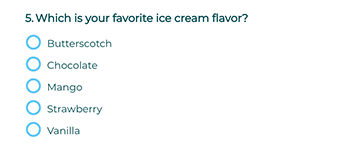
                                  [RB] Which is your favorite ice cream flavor?
                                  Butterscotch
                                  Chocolate
                                  Mango
                                  Strawberry
                                  Vanilla [RB]
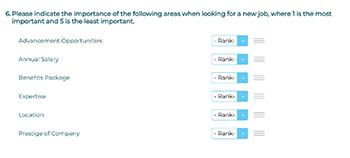
                                  [RK] Please indicate the importance of the following areas when looking for a new job, where 1 is the most important and 5 is the least important.
                                  Advancement Opportunities
                                  Annual Salary
                                  Benefits Package
                                  Expertise
                                  Location
                                  Prestige of Company [RK]
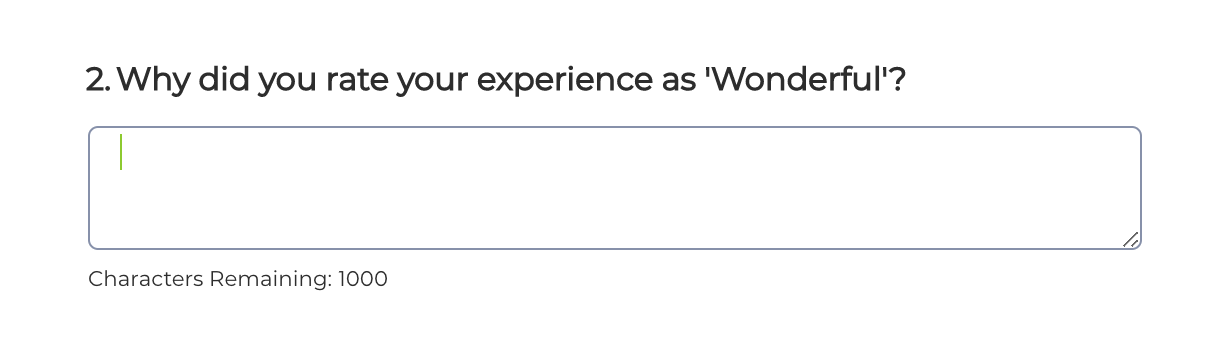
                                  [TB] Please share improvements you would like to see in next year’s employee programs. [TB]
                                  Love it when you
                                  know more?

                                  Subscribe for tips and insights to drive better decisions!

                                  completed tick icon
                                  Thank you!
                                  Your request has been successfully submitted.
                                  ×