



Managing and Using Derived Fields
Learn how to identify, edit, refresh, and delete Derived Fields, and how to use them in filters, dashboards, reports, exports, surveys, and distribution.
This article is part of the Derived Fields guide. To create a field first, see Create and Configure Derived Fields.
Navigate to:
- View, edit, refresh, and delete a Derived Field
- Import records when Derived Fields exist
- Delete a field used by a Derived Field
- Where you can use Derived Fields
View, edit, refresh, and delete a Derived Field
- Click the fx badge in the column heading. A detail panel opens on the right.
- Review the details: Display Label, Field Type, Created By, the Formula, a short Description, and the Source Fields it reads.
- Review Refresh Configuration for the Schedule and when the field was Last Refreshed. For an On Demand field, click Refresh Now to update the values immediately.
- Click Edit Formula to reopen the field as you configured it to amend the formula. You can change the label, type, strategy, or formula.
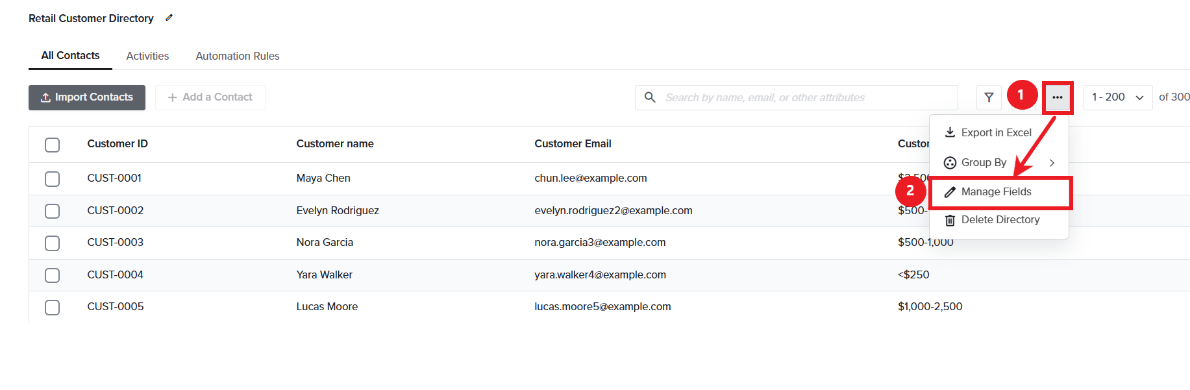
- In order to Delete the field, click the three-dot menu and select Manage Fields. The modal lists every field in the Directory.
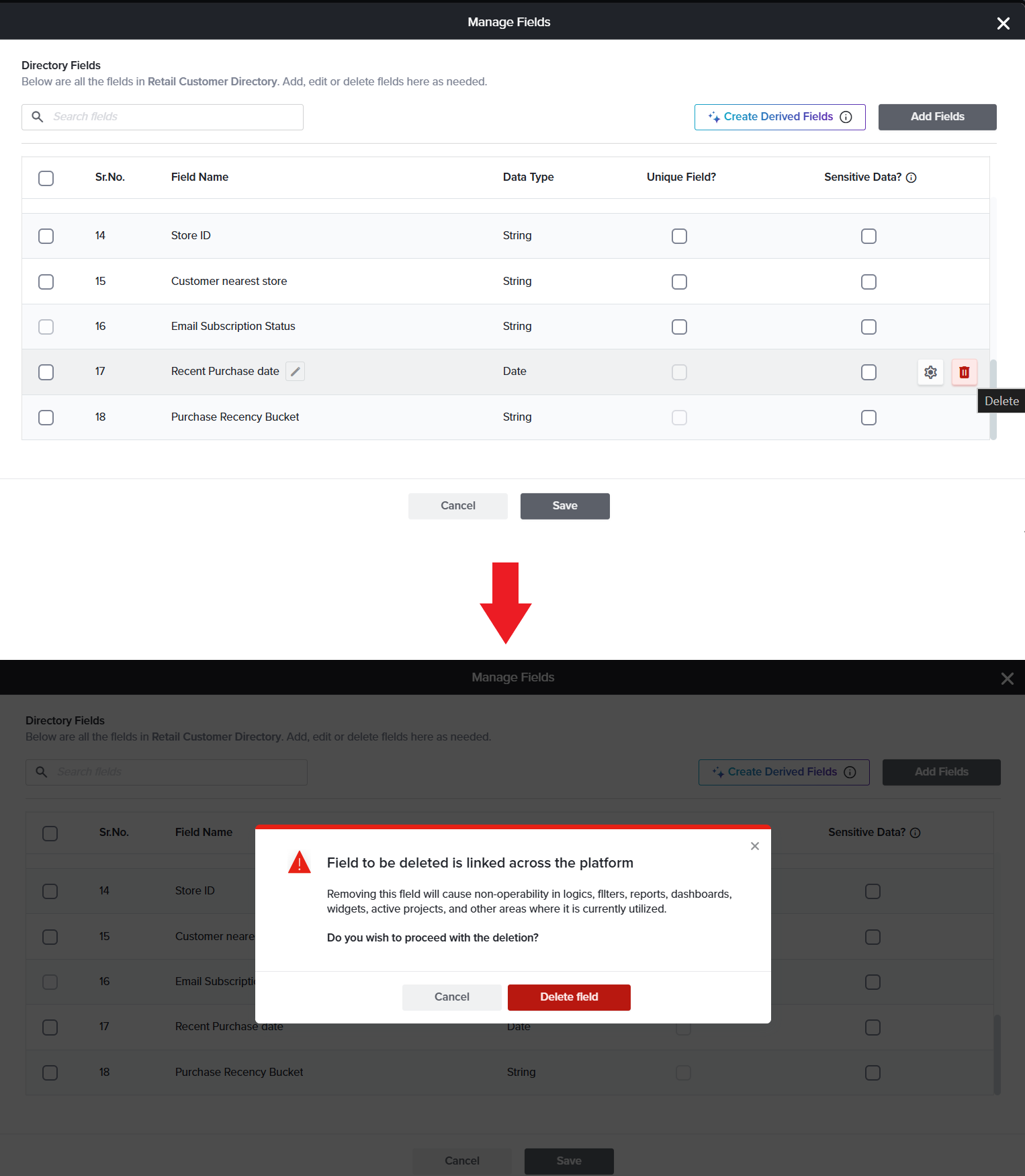
- Hover on the field and click on the Trash icon to remove the field. You are asked to confirm before it is removed.
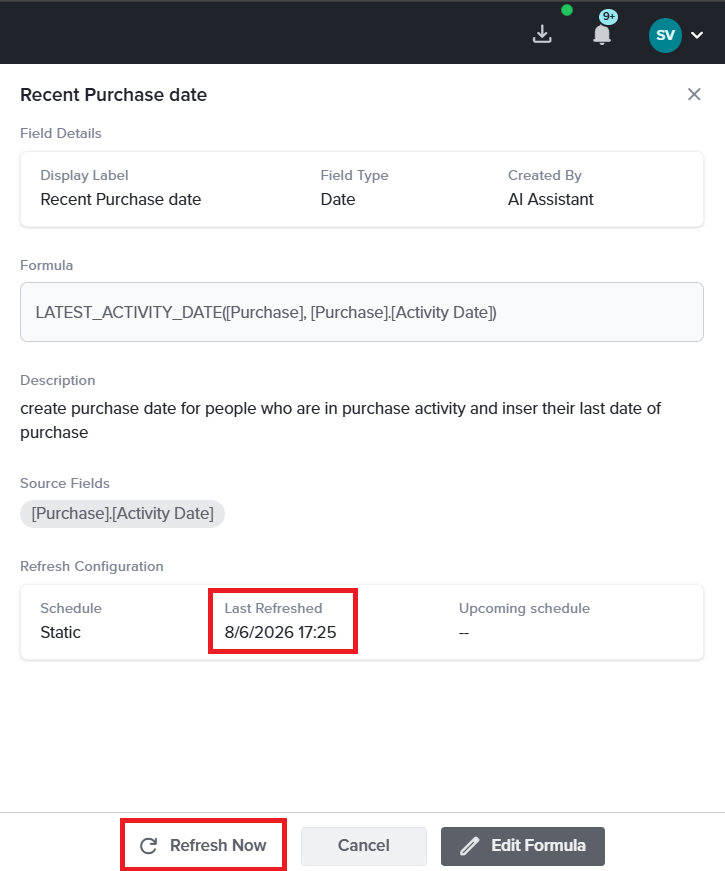
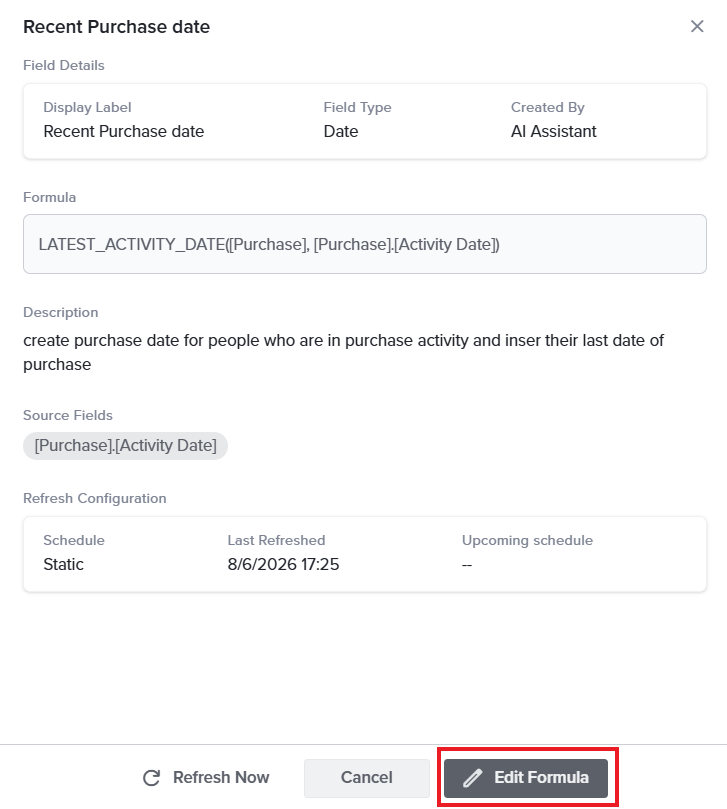
The field detail panel — formula, type, source fields, refresh configuration, and the Edit Formula action.
Import records when Derived Fields exist
Because derived values are calculated for you, there is nothing to import. Derived Fields are not listed in the field-mapping step when you import contacts or activity records.
- When you import new records, the Derived Fields that use them are updated automatically.
- The usual import progress is shown while the import runs.
- If the import finishes while the calculations are still running, the derived columns remain in a loading state until every value is ready.
Delete a field used by a Derived Field
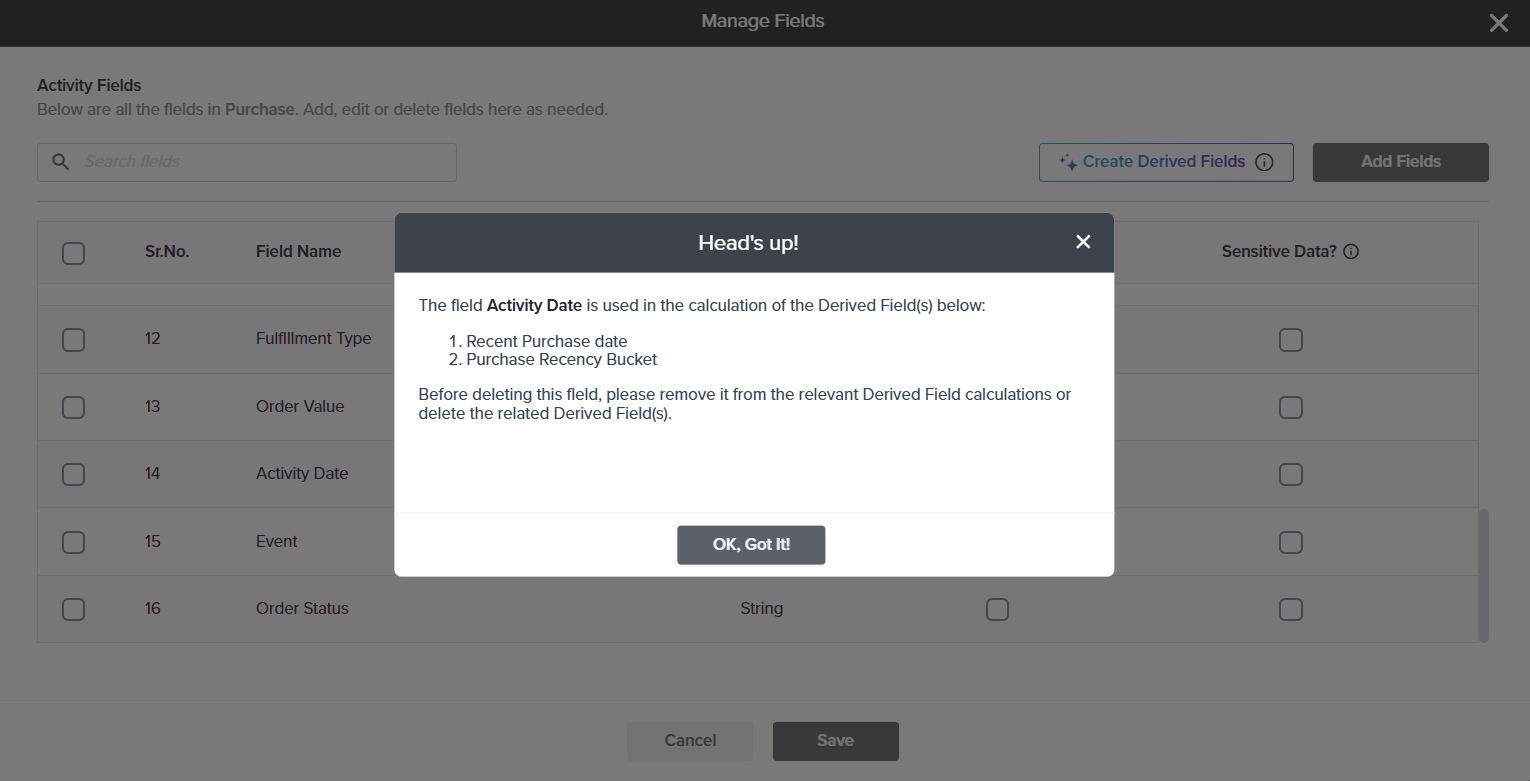
A field cannot be deleted while a Derived Field depends on it. Attempting to do so displays a warning that identifies the affected Derived Fields and asks you to resolve the dependency first.
To proceed, either amend each Derived Field so that it no longer references the field, or delete those Derived Fields.
Where you can use Derived Fields
Once the values are calculated, a Derived Field behaves like any other Directory field and is available wherever your fields are already used:
- Filters — narrow your list to a calculated group, such as every Lapsed customer.
- Dashboards — chart how many customers sit in each recency bucket, or total spend across the base.
- Reports — analyze the values without recalculating them manually.
- Exports — include the calculated values in your exports.
- Design — pipe a value into a survey question, or show and hide questions based on it.
- Distribution — personalize and target your outreach through mail merge, pre-population, and automation rules.
-
While a Derived Field is being calculated, Edit Formula and Refresh Now are disabled; hovering over either explains why.
See also
Subscribe for tips and insights to drive better decisions!