

What Fields Should the Leave Request Form Include?
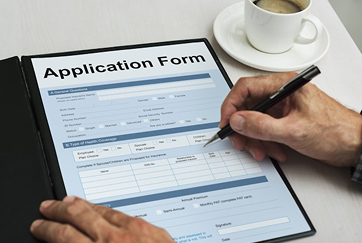
The Sogolytics leave request form template includes 10 fields covering identity, the leave being requested, coverage, and approval.
- 1.Employee name, department, and employee ID
- 2.Manager or approver name
- 3.Submission date
- 4.Type of leave (vacation, sick, personal, bereavement, parental, jury duty, unpaid, other)
- 5.Leave start date and end date
- 6.Total number of days or hours requested
- 7.Reason for leave (optional for certain leave types)
- 8.Coverage plan and whom the employee has handed off work to
- 9.Out-of-office message and emergency contact information
- 10.Employee acknowledgment of company leave policy
Steps to Create the Time Off Request Form
Building a branded, production-ready leave request form takes most teams under 15 minutes.
- .Start with the Sogolytics leave request form template, available free in the template library.
- .Review and adjust the 10 default questions to match your leave policy, the leave types you offer, and your approval chain.
- .Add your branding by uploading your logo and choosing colors, fonts, and a custom thank-you screen.
- .Configure required fields and set conditional logic so optional fields (like a reason) only appear for leave types that need them.
- .Set up approval routing so each request moves to the correct manager automatically.
- .Connect the form to your HRIS, calendar, or payroll tool so approved requests sync without manual rekeying.
- .Publish the form to your intranet, HRIS, or as a direct link, and add it to your company leave policy page.
- .Monitor requests and approvals in real time from the response dashboard.
Types of Time Off Requests
Most leave programs cover the same core request types, with company-specific variations layered on top.
- .Vacation or paid time off (PTO), typically accrued and used at the employee's discretion
- .Sick leave for personal illness or care of a dependent
- .Personal days for life events that fall outside vacation and sick categories
- .Bereavement leave for the death of a family member or loved one
- .Parental leave, including maternity, paternity, and adoption leave
- .Improved employee experience with a clear, mobile-friendly form that takes minutes to complete
- .Medical or disability leave covered by short-term or long-term disability programs
- .Jury duty, voting time, and other civic leave
- .Military or reservist leave
- .Religious holidays not on the company calendar
- .Unpaid leave or leave of absence for situations outside the standard policy
- .Volunteer time off (VTO) for community service
Best Practices to Create Time Off Request Forms
- 1.Keep the form short. Ask only what you need to make an approval decision and let the HRIS or payroll system handle downstream detail.
- 2.Set clear advance-notice expectations by leave type. Vacation typically needs two to four weeks; sick leave needs same-day notice.
- 3.Make required fields obvious, especially manager name and coverage plan, so requests do not bounce back for missing detail.
- 4.Use conditional logic to ask the right questions for the right leave type. Vacation requests do not need an emergency contact; medical leave often does.
- 5.Capture coverage plans on every request that affects deliverables. Knowing who is covering what reduces interruptions during the leave.
- 6.Standardize how requests are submitted, even if your company already uses an HRIS. A single front door keeps the audit trail clean.
- 7.Route requests to the correct manager automatically based on team or department.
- 8.Set service-level expectations for approval response time, typically two to three business days for routine requests.
- 9.Confirm submission and approval with automated emails so employees know their request was received and decided.
- 10.Review request patterns quarterly to catch burnout signals, unused balances, and policy gaps that need attention.
FAQ About Time Off Request Form Template
What should a time off request form format include?
At minimum, a time off request form should include the employee's name and department, manager or approver, leave type, start and end dates, total days or hours requested, coverage plan, and a policy acknowledgment. Optional fields can include reason for leave, out-of-office message, emergency contact, and any supporting documentation for medical or bereavement leave.
Can an employer deny a time off request after approval?
In most cases, yes, though doing so carries legal and morale costs. Once a request is approved, the employee may have made non-refundable plans, so rescinding approval should be reserved for genuine business emergencies. Some leave types (FMLA in the United States, statutory leave in many other countries) carry legal protections that limit what an employer can rescind. Always check local employment law and your own policy before rescinding an approved request.
How do time off request forms work?
An employee opens the form, selects the leave type and dates, fills in coverage plans and any required detail, and submits. The form automatically routes the request to the correct manager. The manager reviews the request from the response dashboard, approves or denies with a single click, and the decision flows back to the employee by email. Approved requests can sync to the HRIS, calendar, or payroll system through native integrations.
What is the difference between PTO and unpaid time off?
Paid time off (PTO) is leave that the employee continues to be paid for, drawn from a balance the company has allocated. Unpaid time off is leave where the employee does not receive pay for the days they are out. PTO typically includes vacation, sick, and personal days. Unpaid time off is most common when an employee has exhausted their PTO balance, when the leave falls outside the standard policy, or when a long-term leave of absence has been granted.
Who should be in charge of time off requests?
Most companies route routine leave requests (vacation, personal days) to the employee's direct manager, since they have the best view of team coverage and workload. HR typically handles requests that touch policy or legal protections, including medical leave, parental leave, accommodations, and any leave that exceeds two consecutive weeks. The form's approval routing should reflect this split so each request lands with the right reviewer.
How long does the time off request form take to set up?
Most teams launch a branded, production-ready leave request form in under 15 minutes using the Sogolytics template. Customizing fields, adding branding, configuring approval routing, and publishing to your intranet or HRIS takes longer only if you want to add complex conditional logic or integrate with multiple downstream systems.


4.6
Star
4.7
Star