

We’ve been working on the parts of Sogolytics you touch the most — logging in and your home page. Both updates go live on June 6, 2026. Here’s what’s coming.
1. A Simpler Way to Log In: Say Hello to Email-Based Login
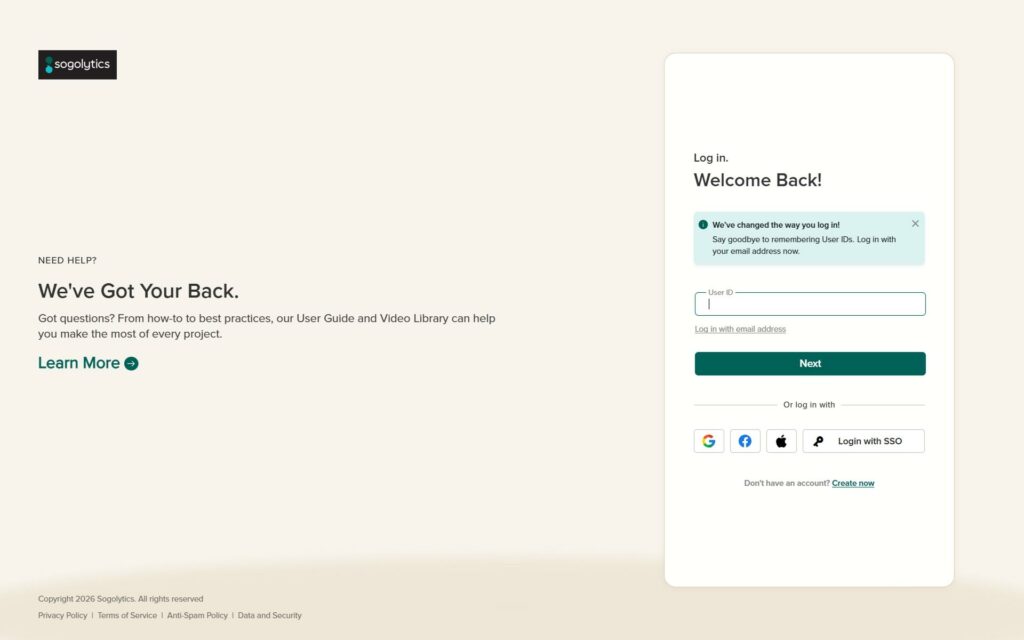
Starting June 6, you’ll log in to Sogolytics using your email address instead of a User ID. No more digging through old welcome emails or password managers to remember which User ID belongs to which account. Just enter the email address associated with your account, and you’re in.
What’s changing?
Until now, logging in required a unique User ID created when your account was set up. While it worked, we heard you loud and clear: User IDs are easy to forget, especially if you don’t log in every day.
With the new login experience:
- Your email address is your identity. Enter the email tied to your Sogolytics account, click Next, and continue with your password as usual.
- Nothing else changes. Your password, your data, your projects, and your account settings all remain exactly the same.
- Single sign-on, Google, Facebook, and Apple login continue to work just as they do today.
Prefer your User ID? You have time.
We know change takes a little getting used to. For two months after launch (through early August), you’ll still be able to log in with your User ID — just click “Forgot email address? Click here to log in with User ID” on the login page to switch back.
After the transition period, email-based login will become the standard way to access your account.
2. A Cleaner, More Useful Home Page
Your home page has been redesigned to get you to your work faster:
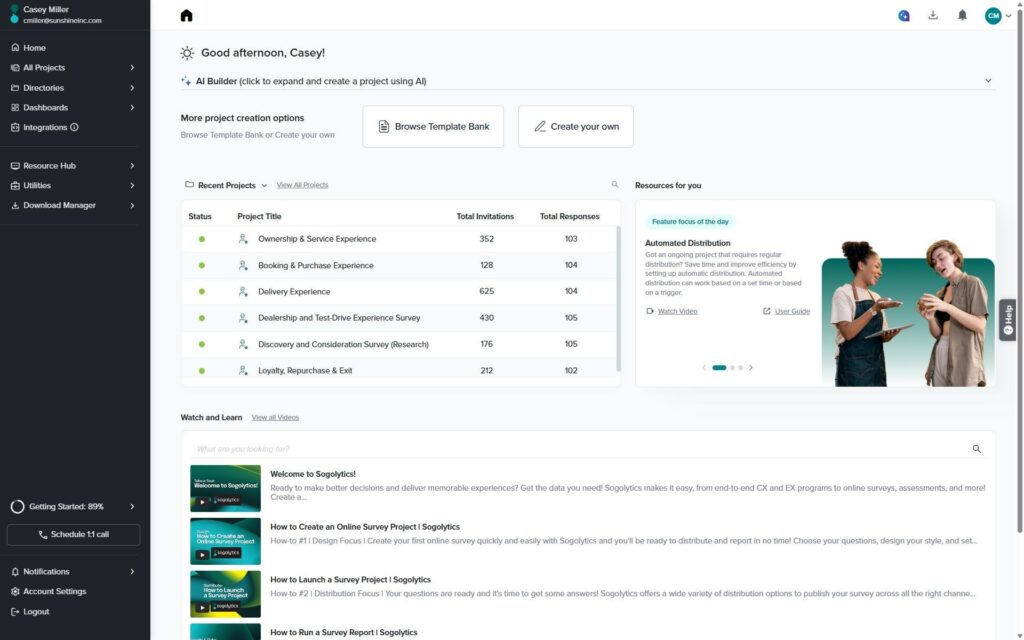
- See more of what matters. The Recent Projects view now shows your 15 most recent projects instead of 4, in a compact table with status, invitations, and responses at a glance — so the project you need is almost always one click away.
- Switch folders without leaving Home. A new folder dropdown sits right above your project list. Jump between Recent Projects, Main, Archive, Shared, or Mobile App folders instantly — no more navigating to “All Projects” just to find something in a different folder.
- Create projects your way. The AI Builder, Template Bank, and Create Your Own options are front and center, so starting your next project takes seconds.
- Learn as you go. A refreshed Watch and Learn section with search, plus rotating “Resources for you” feature spotlights, helps you discover capabilities you might be missing.
What do you need to do?
In most cases, nothing at all. From June 6 onward, simply use your email address to log in, and your new home page will be waiting for you. If you’re not sure which email is associated with your account, reach out to our support team and we’ll help you get sorted before the login transition completes.
Why this matters
These updates are part of our ongoing effort to remove friction from your everyday Sogolytics experience — one less thing to remember at login, and fewer clicks between you and your projects.
As always, if you have questions, our support team is just a click away.
Happy exploring! 🙂